Tenant administration
Manage tenant features
Choose whether your tenant uses an available enterprise feature while keeping member permissions as a separate decision.
On this page
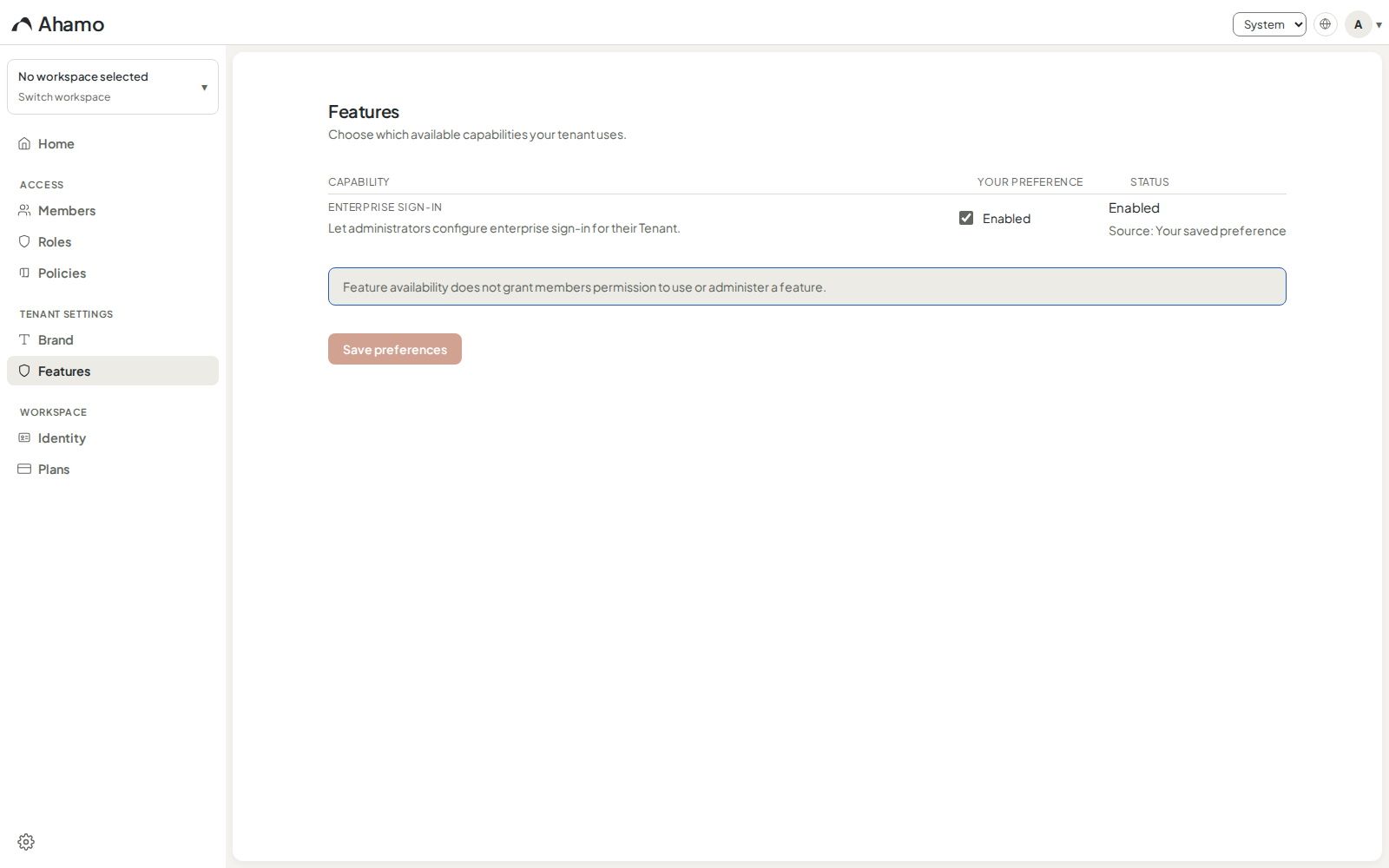
Availability. The feature page shows only capabilities made visible for your tenant. The current customer-managed catalog contains Enterprise sign-in.
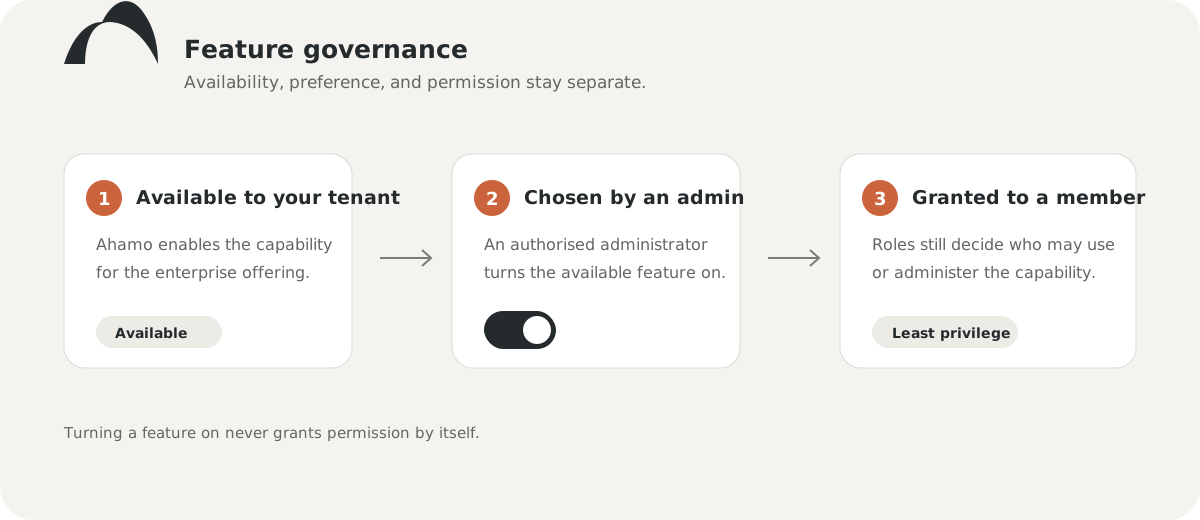
Use Features to choose whether your tenant uses an enterprise capability that Ahamo has made available. Availability, your preference, and a member's permission are separate controls.
Change a feature preference
- Open Settings, then Features.
- Read the current status and its source.
- Turn the available feature on or off.
- Choose Save preferences.
- Confirm that the status reflects the saved choice.
If the control says Locked or Unavailable, the tenant cannot change that feature. If the feature is absent, it has not been made visible for this tenant. Do not interpret an absent feature as enabled.
If the settings changed while you worked
Ahamo keeps your draft and loads the current saved state. Review both before saving again. If the latest state cannot be loaded, use the visible retry action or discard your draft; Ahamo blocks another save until the authoritative state is available.
Assign permissions separately
Turning on Enterprise sign-in makes the capability effective for the tenant, but only members with the appropriate permission can administer its connections. Use Roles and permissions to delegate administration deliberately.
The feature page does not configure identity-provider details or email domains. Enterprise sign-in remains a separately gated setup journey.